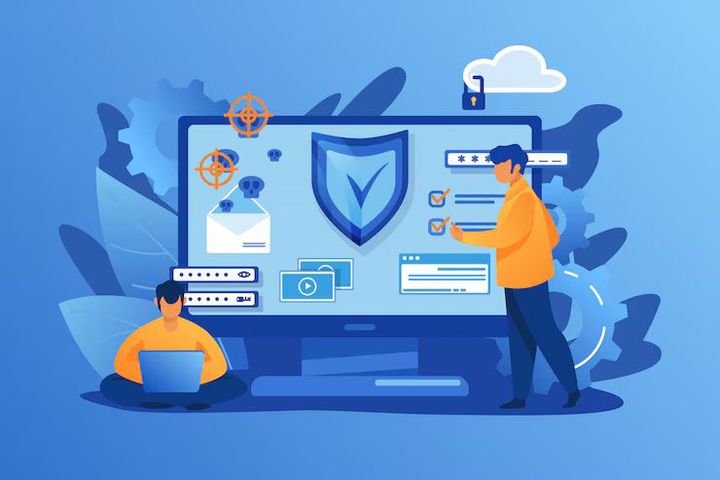
Secure Browser Tools: Best Cybersecurity Solutions for Safe Web Browsing
Web browsers are among the most frequently used applications on computers and mobile devices. People use them to access websites, manage accounts, read information, communicate, complete transactions, and work with cloud-based applications. Because browsers handle large amounts of sensitive information, browser security has become an important part of cybersecurity.
Secure browser tools are technologies and built-in features designed to reduce common online risks. These may include phishing protection, malicious website detection, password management, tracking controls, secure connection warnings, sandboxing, privacy settings, and automatic security updates.
The purpose of these tools is not to make browsing completely risk-free. Instead, they create several layers of protection that can reduce exposure to common threats.
Modern browser security also works closely with operating-system security, identity protection, encryption, and network security. A secure browsing strategy therefore combines browser features with sensible user behavior.
Common browser security tools include:
- Phishing and malicious-site detection
- Password managers and credential protection
- Multi-factor authentication support
- HTTPS and secure-connection indicators
- Tracking and cookie controls
- Pop-up and unwanted-download protection
- Sandboxing and site isolation
- Automatic security updates
- Privacy and permission controls
- Security extensions from trusted sources
Why Secure Browser Tools Matter Today
Cybersecurity threats increasingly target everyday web activity. Attackers may attempt to imitate legitimate websites, distribute malicious files, exploit outdated browser components, or trick users into revealing passwords.
This makes browser security relevant to students, employees, families, organizations, educators, and anyone who regularly accesses the internet.
One major concern is phishing. A fraudulent website can look similar to a legitimate login page and attempt to collect usernames, passwords, payment information, or other sensitive details. Browser-based warning systems can help identify known dangerous destinations before a user continues.
Another important issue is credential security. Reusing the same password across multiple websites can increase the impact of a single account compromise. Password managers can help generate and store stronger, unique credentials while reducing the need to remember many passwords.
Privacy is another reason secure browser tools matter. Websites can use cookies, scripts, device information, and other technologies to understand browsing activity. Browser privacy controls allow users to manage permissions and limit some forms of tracking.
The following table shows how different browser security layers address common risks:
| Security Layer | Main Purpose | Example Risk Addressed |
|---|---|---|
| HTTPS protection | Encrypts website connections | Data interception |
| Phishing detection | Identifies suspicious websites | Credential theft |
| Password management | Protects account credentials | Password reuse |
| Sandboxing | Limits application impact | Browser exploitation |
| Tracking controls | Limits unwanted tracking | Privacy exposure |
| Automatic updates | Fixes known vulnerabilities | Outdated software |
| Permission controls | Restricts browser access | Camera or location misuse |
Secure browsing is especially important when accessing accounts on shared computers, public networks, unfamiliar websites, or devices that may not be regularly maintained.
Recent Browser Security Updates and Trends
Browser security continues to evolve as new vulnerabilities and attack techniques emerge.
In July 2026, Google described new efforts to use artificial intelligence to improve vulnerability discovery, prioritization, and security patching in Chrome. The development reflects a wider cybersecurity trend in which automated analysis is being used to identify software weaknesses more efficiently.
HTTPS protection is also becoming more prominent. Google announced in October 2025 that Chrome 154, planned for October 2026, would enable its “Always Use Secure Connections” setting for public websites by default. The change is designed to warn users before accessing public websites that do not support HTTPS.
Browser vulnerability management remains an ongoing requirement. Mozilla's security advisories during 2026 documented multiple high-impact vulnerabilities affecting Firefox components, including browser isolation, networking, WebAssembly, graphics, and sandbox-related areas. Firefox 154 security fixes were announced on August 18, 2026.
These developments demonstrate an important principle: browser security is continuously updated rather than being a one-time configuration task.
Current trends include:
- Greater use of automated vulnerability detection
- Stronger HTTPS adoption
- More advanced phishing detection
- Improved site isolation
- Greater emphasis on passwordless authentication
- More detailed privacy controls
- Faster security patching
- Increased attention to browser extensions
- Stronger protection against malicious downloads
Users should therefore keep browsers updated and review security settings periodically.
Laws and Policies Affecting Browser Security in India
Browser security is influenced by broader cybersecurity and data-protection requirements. In India, the Digital Personal Data Protection Act, 2023 provides a legal framework concerning the processing of digital personal data.
A significant recent development occurred in November 2025, when the Ministry of Electronics and Information Technology notified the Digital Personal Data Protection Rules, 2025. The rules establish requirements connected with protecting personal data and provide an implementation framework for the Act.
The rules use different commencement timelines for different provisions. According to the government notification, some provisions took effect upon publication, while others were scheduled to commence one year or eighteen months after publication.
For organizations handling personal information, this broader privacy framework makes data protection, access controls, security safeguards, and responsible data handling increasingly important.
Browser users should understand that privacy legislation does not make a browser automatically secure. Organizations still need appropriate technical and administrative controls, while individuals should continue using strong authentication, secure connections, updated software, and careful browsing practices.
Other Indian cybersecurity requirements and information-technology rules can also affect organizations depending on their activities and the type of data they handle. Legal obligations can change, so organizations should review the current requirements applicable to their operations.
Tools and Resources for Safer Web Browsing
A strong browser security setup does not require a complicated collection of applications. Many useful protections are already available through modern browsers and operating systems.
Useful categories include:
Password managers: These tools can generate and securely store unique passwords and help reduce password reuse.
Multi-factor authentication: Authentication applications, security keys, and other second-factor methods provide an additional layer beyond a password.
Browser security settings: Users can review permissions for notifications, cameras, microphones, location access, cookies, pop-ups, downloads, and website data.
HTTPS checking: Modern browsers display security information for website connections and can warn users when connections are not adequately protected.
Phishing protection: Browser-based reputation and threat-detection systems can warn users about known malicious or deceptive websites.
Privacy controls: Built-in tracking protection, cookie management, and site-permission controls can help users manage how websites interact with their devices.
Security update tools: Automatic browser updates help deliver fixes for known vulnerabilities without requiring users to manually monitor every security release.
Cybersecurity learning resources: Government cybersecurity portals, browser security documentation, digital-safety guides, password-management guidance, and security-awareness training can help users understand common threats.
A practical browser security checklist includes:
- Keep the browser and operating system updated.
- Use unique passwords for important accounts.
- Enable multi-factor authentication where available.
- Check the website address before entering sensitive information.
- Avoid installing unknown browser extensions.
- Review browser permissions regularly.
- Be cautious with unexpected downloads and attachments.
- Use HTTPS when entering sensitive information.
- Remove extensions that are no longer needed.
- Avoid entering credentials on suspicious websites.
- Use separate browser profiles when appropriate.
- Lock devices when they are unattended.
Frequently Asked Questions About Secure Browser Tools
What are secure browser tools?
Secure browser tools are features, technologies, and supporting applications that help protect users from threats such as phishing, malicious websites, unsafe downloads, tracking, credential theft, and browser vulnerabilities.
Can browser security tools prevent every cyberattack?
No. Browser security tools can reduce exposure to many common threats, but they cannot guarantee complete protection. Users still need strong passwords, multi-factor authentication, updated devices, and careful online behavior.
Why are browser updates important for cybersecurity?
Browser updates frequently contain security fixes for vulnerabilities. Delaying updates can leave an outdated browser exposed to weaknesses that have already been addressed in newer versions.
Is HTTPS enough to make a website safe?
No. HTTPS protects the connection between the browser and website, but it does not automatically mean that the website itself is trustworthy. Users should still verify the domain name and consider the site's reputation before sharing sensitive information.
Should users install many security extensions?
Not necessarily. More extensions do not automatically mean better protection. Users should install only trusted extensions that have a clear purpose and regularly review permissions and installed extensions.
Conclusion
Secure browser tools are an important part of modern cybersecurity because browsers sit at the center of everyday online activity. They help protect users through several layers, including phishing detection, secure connections, password protection, privacy controls, sandboxing, permission management, and security updates.